Access index.html for S3 Static websites
02/03/22 17:14
Accessing index.html automatically on a S3 statically hosted website using AWS Lambda@edge and AWS Cloud Front
Lambda@Edge
The problem with using the CloudFront OAI accessing your secured S3-Bucket is that you can’t share simple links anymore. This means instead of sharing https://pyhackr.com/aboutme/, I have to share the link https://pyhacker/aboutme/index.html so that people are able to access the content because otherwise S3 would restrict the access.
This is not very user-friendly and therefore we are using Lambda@Edge to provide default directory indexes. With Lambda@Edge we are now able to use a Javascript function which runs on the CloudFront edge node to look for patterns, such as requests which end up with "/". With our Javascript function we then re-write the request so that CloudFront requests a default index.html for each request that ends with "/".
Go to your AWS Lambda dashboard:
**** Important ******
- Switch to region N.Virginia (us-east-1) as it’s only possible to create Lamdba functions that uses Cloudfront as a Trigger in that region.
- Click on Create Function. Leave the option Author from scratch and give your function a name. Use Node.js 14.x as runtime. Open the permission section and let the process create a new role with basic Lambda permissions.
- Open IAM dashboard in a new tab. Click on Roles and you should see your newly created role something like
-role- . Open that role and click on the tab Trusted relationship and click on Edit. Paste the following policy in your policy document:
{ "Version": "2012-10-17", "Statement": [ { "Effect": "Allow", "Principal": { "Service": [ "lambda.amazonaws.com", "edgelambda.amazonaws.com" ] }, "Action": "sts:AssumeRole" } ]}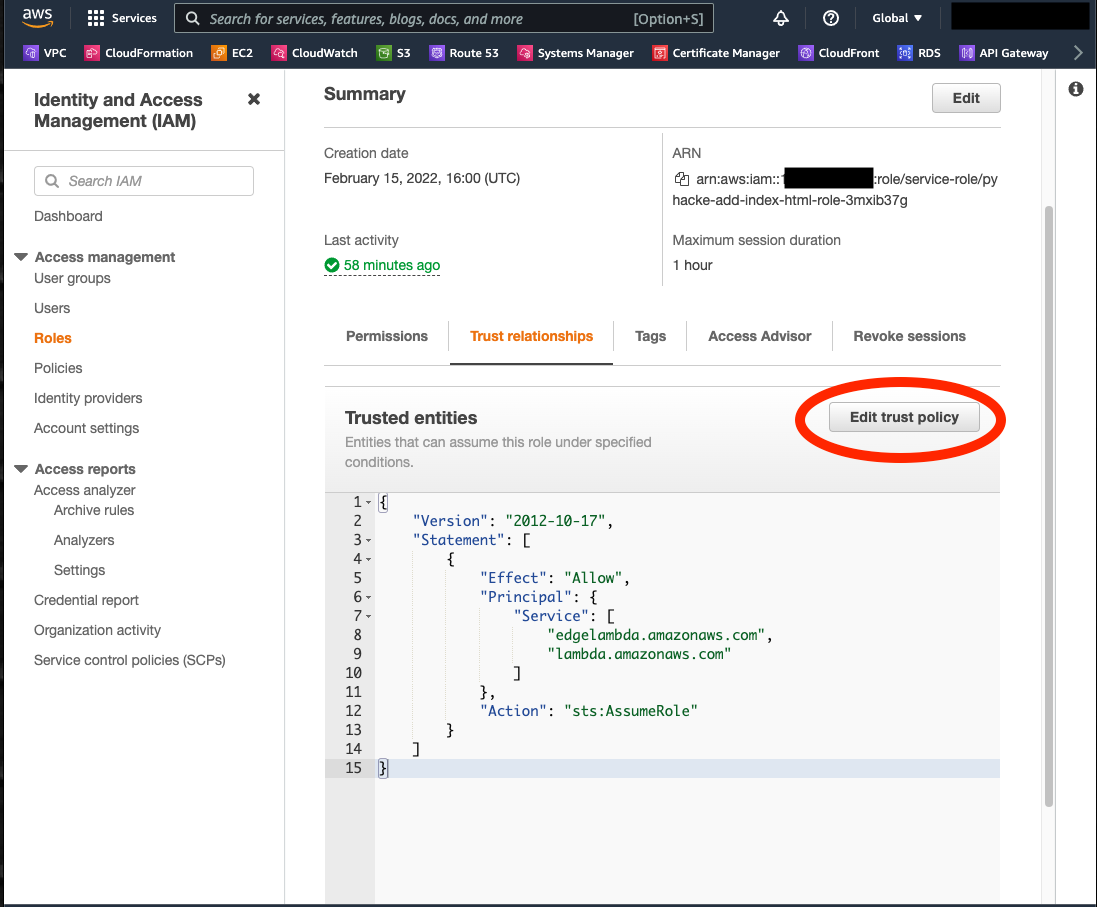
With that, Edge@Lambda is now able to assume this role, which is needed for the deployment of your function.
Move back to Lambda and choose and copy and paste the code below into the index.js.
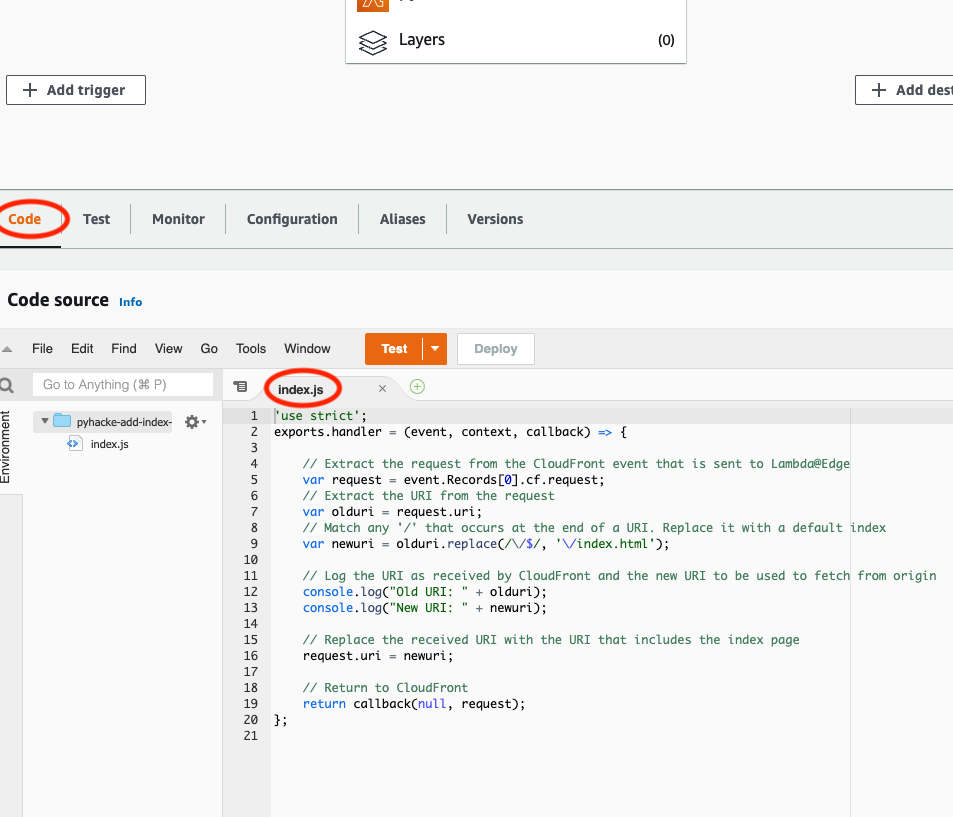
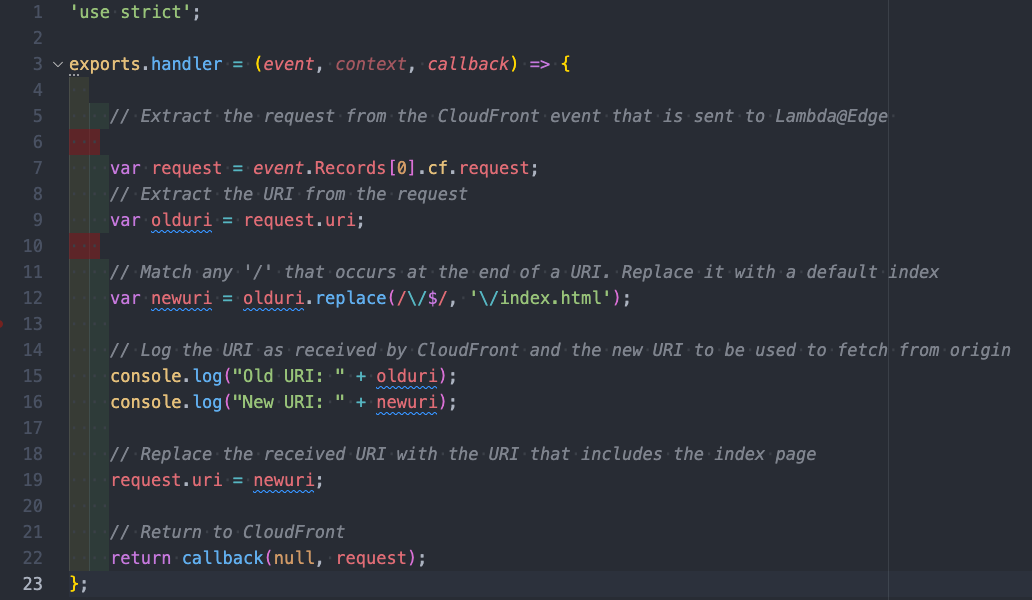
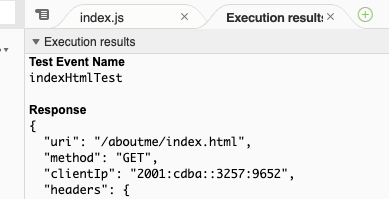
'use strict';exports.handler = (event, context, callback) => { // Extract the request from the CloudFront event that is sent to Lambda@Edge var request = event.Records[0].cf.request; // Extract the URI from the request var olduri = request.uri; // Match any '/' that occurs at the end of a URI. Replace it with a default index var newuri = olduri.replace(/\/$/, '\/index.html'); // Log the URI as received by CloudFront and the new URI to be used to fetch from origin console.log("Old URI: " + olduri); console.log("New URI: " + newuri); // Replace the received URI with the URI that includes the index page request.uri = newuri; // Return to CloudFront return callback(null, request);};To test the code we create a new test. Choose Amazon CloudFront HTTP Redirect which will prefill the code block below. Now, change the uri-property from "/test" to something which ends with / like "/aboutme/. Give your event a name and click on Create.
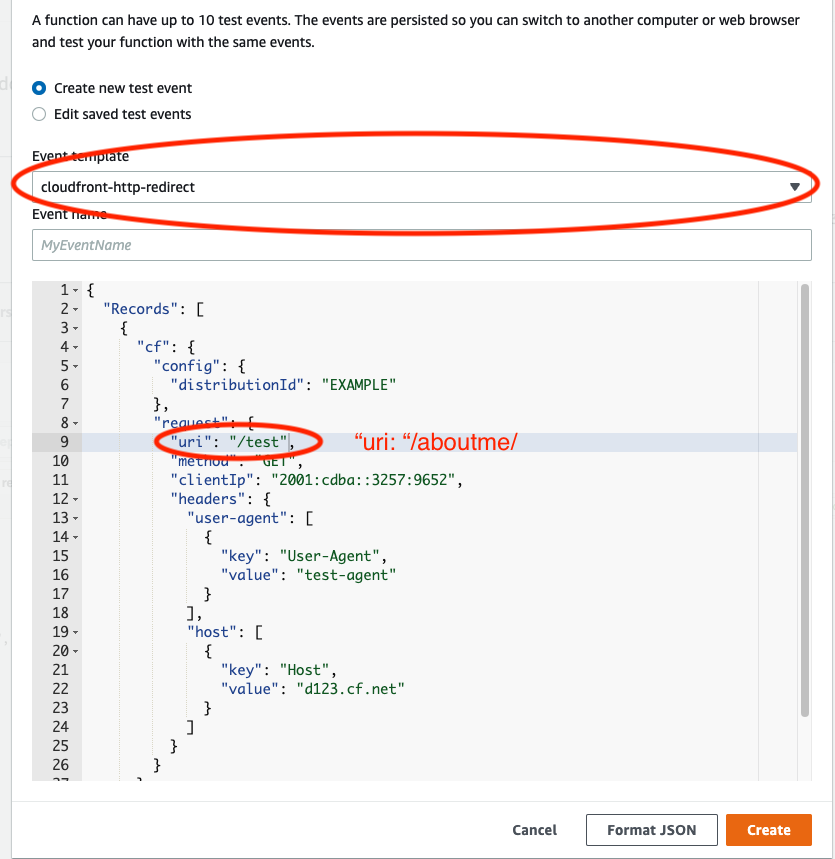
Back to your code block, you can now execute your test and check the results. You can see that our request uri was changed from /aboutme/ to /aboutme/index.html. That's precisely the result that we were striving for! Additionally you can check the logs further down in the console.
The last step is now to execute this function when a request hits our CloudFront distribution. For that, go to the Designer section and click on Add trigger. Choose CloudFront from the dropdown menu and click on Deploy to Lambda@Edge. A Pop-Up will appear and you have to select your CloudFront distribution. Choose Origin request as Event Type, mark the checkbox at the bottom and click on Deploy (If you haven’t maintained your policy as trusted relationship like in the previous steps, you will now run into an error).
If everything runs smoothly, you can now close the Pop-Up window and you will see a success message that there was created a version 1 of your function and it now will be replicated to all the regions.